🎬 How to Create Cinematic Typography Portraits with 100% Face Match Using AI
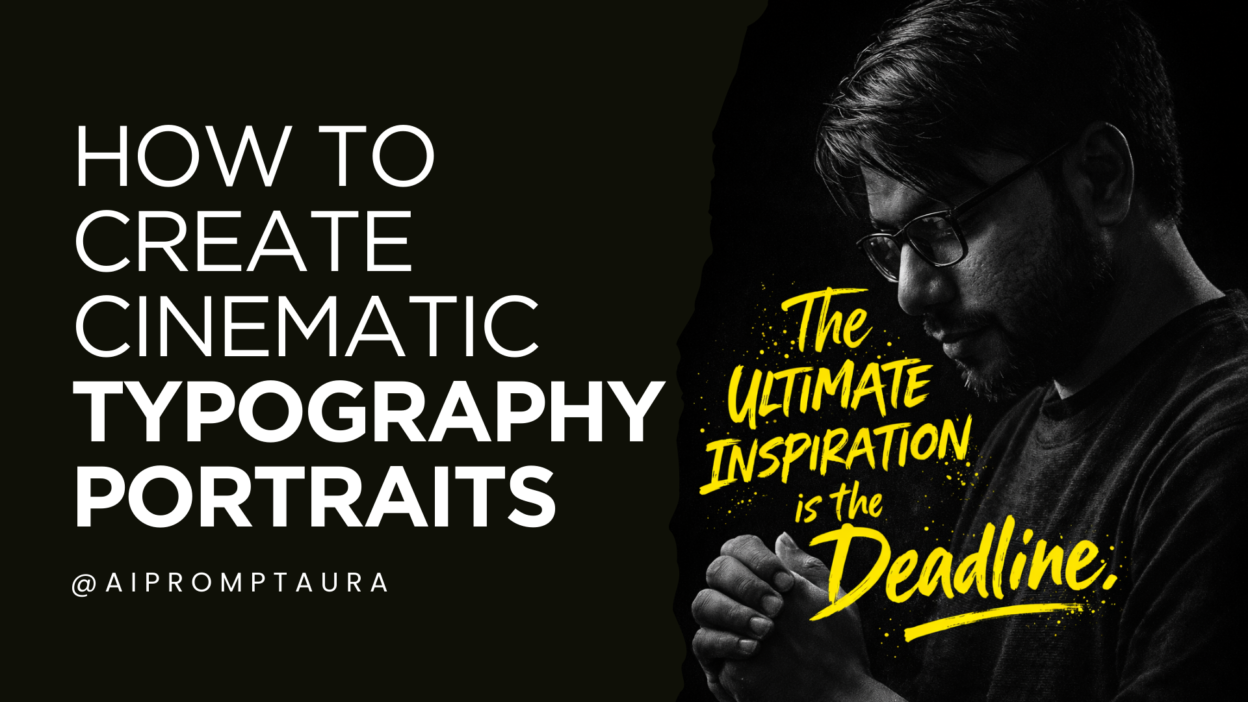
In the age of AI-driven creativity, cinematic typography portraits have become one of the most powerful visual formats for social media, branding, and personal expression. These artworks combine dramatic portrait photography with expressive hand-drawn typography—creating visuals that feel emotional, bold, and cinematic.
In this guide, you’ll learn what cinematic typography AI art is, why face-match prompts are crucial, and how to create your own poster using your photo with 100% facial accuracy, using a simple copy-paste AI prompt.
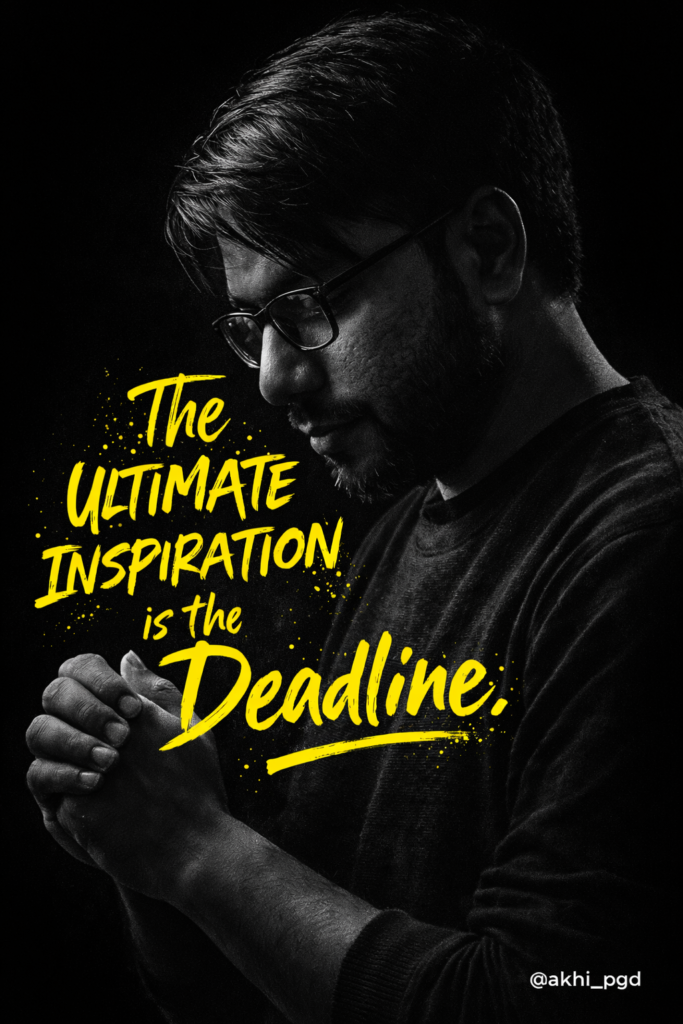
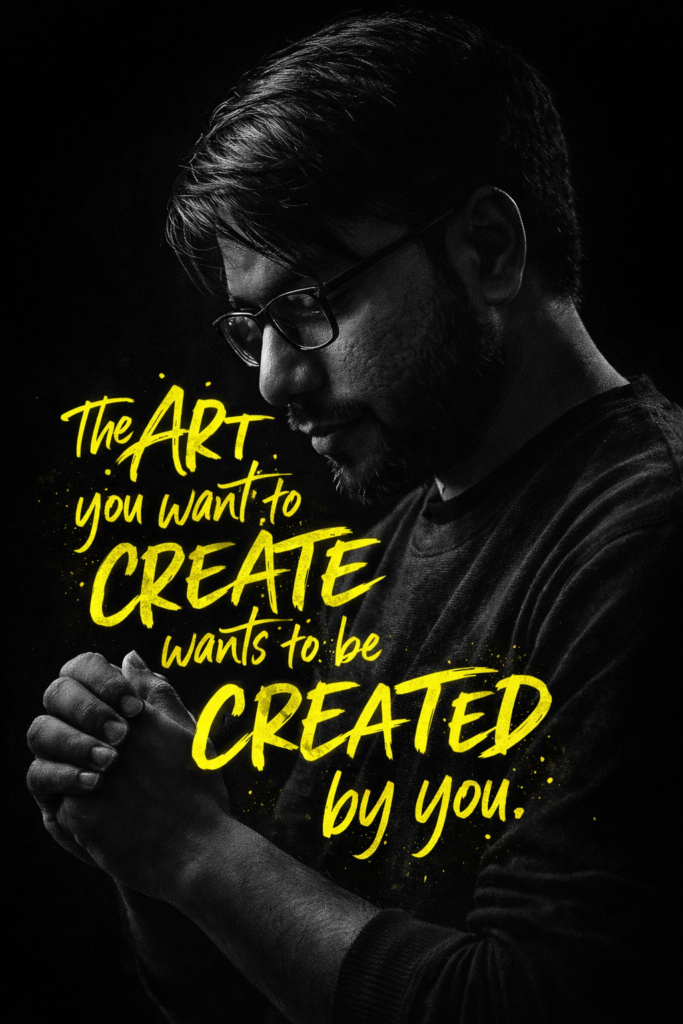
🎨 What is Cinematic Typography AI Art?
Cinematic typography AI art is a visual style where:
-
A dramatic, high-contrast portrait (often black & white or low-saturation)
-
Is combined with handwritten, brush-style typography
-
Placed strategically around or over the subject
-
Inspired by movie posters, editorial covers, and motivational art
Key visual characteristics:
-
Dark or minimal backgrounds
-
Strong directional lighting
-
Emotional or introspective poses
-
Bold, imperfect typography (not clean fonts)
-
Selective color accents (often neon yellow, white, or red)
AI tools now make it possible to generate this style without design software, while keeping your face identity perfectly intact.
🧬 Why Face-Match Prompts Matter
One of the biggest problems in AI image generation is face inconsistency. Without the right instructions, AI may:
-
Change facial structure
-
Alter skin tone
-
Add unrealistic beauty filters
-
Replace your identity entirely
A face-match prompt solves this by explicitly instructing the AI to:
-
Preserve facial structure
-
Maintain real skin texture
-
Avoid beauty filters or reshaping
-
Match the uploaded photo 100%
This is critical when:
-
Creating personal branding visuals
-
Making posters with your own face
-
Designing professional or commercial content
-
Building trust and recognition on social platforms
In short: If the face isn’t accurate, the art loses authenticity.
🪜 Step-by-Step Image Creation (Beginner Friendly)
Follow these steps exactly for best results:
Step 1: Choose the Right Photo
Upload a clear photo with:
-
Neutral lighting
-
Face clearly visible
-
Side profile or ¾ profile preferred
-
No heavy filters
Step 2: Open Your AI Tool
Use an AI image generator that supports:
-
Reference image uploads
-
Detailed text prompts
-
Face consistency (example: Gemini 3.1)
Step 3: Paste the Prompt
Use the copy-paste prompt provided below.
You can edit only the quote text—everything else should remain unchanged.
Step 4: Generate & Refine
-
Generate the image
-
If needed, adjust text placement or color
-
Keep face-match instructions untouched
Step 5: Export in High Resolution
Export in 4:5 or poster ratio for Instagram, posters, or branding use.
📋 Copy-Paste AI Prompt (Editable Text)
Upload your photo first, then paste this prompt:
Use the uploaded photo of me as the main subject.

Match my face 100% exactly — same facial structure, skin texture, expression, beard, hairstyle, glasses, and proportions.

No face reshaping, no beautification, no AI facial alteration. Preserve real identity perfectly.
Create a dark cinematic black-and-white portrait poster with high contrast lighting.

Subject shown in side profile, head slightly tilted down, eyes looking toward hands, calm and introspective mood.

Hands gently clasped together near chest level.
Background must be pure deep black, minimal, with subtle vignette.

Use single-source dramatic rim light from the top/side to highlight face contours, hair, glasses, arms, and hands.

Strong shadows, moody atmosphere, fine skin texture visible.
Overlay bold handwritten brush typography in neon yellow paint-style lettering, layered organically around the subject’s head, torso, and arms.

Text should feel raw, artistic, motivational, slightly chaotic but balanced, like street art or modern poster design.
TEXT (fully editable – replace with your own):
“The

ULTIMATE

INSPIRATION

is the Deadline.”
Text placement should wrap naturally around the subject without covering the face.

Mix of uppercase and lowercase letters, hand-drawn strokes, imperfect edges.
Add a small minimal caption text in the bottom corner (optional), clean sans-serif, white color.
@akhi_pgd style: cinematic portrait, editorial poster, modern art typography

Lens: 85mm

Quality: ultra-realistic, photorealistic, sharp focus

Resolution: 8K Ultra HD

Color palette: monochrome subject + neon yellow typography only

Mood: deep, creative, inspirational, thoughtful

Professional studio quality
🚫 NEGATIVE PROMPT (IMPORTANT)
No face distortion

No cartoon or illustration look

No extra people

No low contrast

No soft blur on face

No over-smooth skin

No text covering eyes or face

No random symbols

No watermark

No logo unless specified
👉 You can change only the quote text to any message you want.
🚀 Best Use Cases (Instagram, Posters, Branding)
📱 Instagram & Reels
-
Motivational posts
-
Creator branding visuals
-
AI art reels & carousels
-
Profile highlight covers
🖼 Posters & Wall Art
-
Personal inspiration posters
-
Studio or workspace decor
-
Print-on-demand designs
-
Gift artwork
🧠 Personal Branding
-
Portfolio visuals
-
About-me graphics
-
Website hero sections
-
Thought-leader content
📢 Marketing & Campaigns
-
Creative ads
-
AI influencer branding
-
Campaign visuals with quotes
-
Digital storytelling assets
✨ Final Thoughts
Cinematic typography AI art is more than just a trend—it’s a powerful way to tell stories visually. When combined with accurate face-matching prompts, it allows creators to produce artwork that feels personal, professional, and emotionally impactful.
With the right prompt, you don’t need Photoshop or advanced design skills—just your photo and a strong idea.
Create the things you wish existed.
Now you can—using AI.